View Usage Data
LightBurn's anonymous usage data collection is entirely opt-in for full release versions of the software. If you don't chooose to share this information with us, it won't be sent.
When you first open a full release version of LightBurn, you'll be asked if you would like to enable anonymous usage reporting.
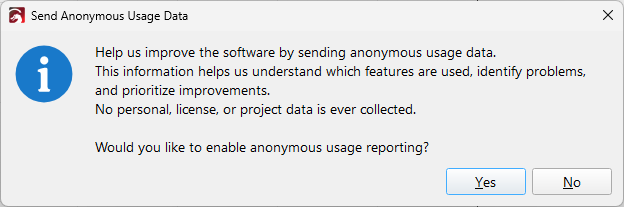
Help us improve the software by sending anonymous usage data. This information helps us understand which features are used, identify problems, and prioritize improvements. No personal, license, or project data is ever collected. Would you like to enable anonymous usage reporting?
If you click Yes, anonymous usage reporting will be enabled, and can be viewed, managed, and disabled at any time from Help → View Usage Data.
If you click No, anonymous usage reporting will be disabled.
Usage Data Window
The Usage Data window allows you to view, manage, enable, and disable the reporting of anonymous usage data, which we use to help us identify problems and improve the software. Reporting data is completely optional and opt-in for full release versions of LightBurn. For Release Candidate / Early Access versions, anonymous usage data is always reported and can't be disabled. If you don't want to provide this data, please wait for full release versions.
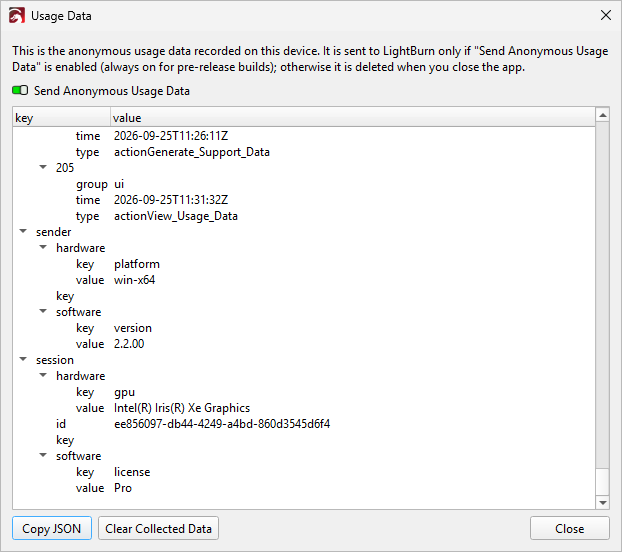
You can manage data reporting and view the collected data by going to Help → View Usage Data.
Send Anonymous Usage Data
If enabled, anonymous usage data will be reported to LightBurn to help with improvements to the software. If this is disabled, data from each session is purged when LightBurn is closed cleanly (not a crash). Anonymous usage data reporting is always enabled for Release Candidate / Early Access builds.
The data described below is collected during a session, but never leaves your computer without your permission. If you've opted in to anonymous usage data reporting, it will be sent once a day while LightBurn is open, and also when you close LightBurn. If you encounter a bug and need to send in a Bug Report, you have the option to send this anonymous usage data along with the bug report.
Copy JSON
Copies the collected usage data as a JSON file so you can view it in other software if you'd prefer.
Clear Collected Data
Clears the collected usage data.
Data Collected
What We Don't Collect
We do not collect Personally Identifing Information (PII), including but not limited to:
- Your name.
- Your location.
- Your actual license key.
- The names you assign to your devices and the IP address or COM port they connect to. Neither of these are needed for aggregating data or guiding software improvements, and could potentially contain identifying information.
What We Do Collect
We collect anonymized data to aggregate and use for software improvements.
- Anonymous, randomly generated unique user ID (UUID) for the installation and for each run.
- LightBurn version.
- LightBurn license type (Core or Pro).
- Hardware (OS, CPU type, and GPU type)
- A timestamped list of events, such as what tools you've used.
- Unit and language settings.
- A list of your devices, containing the following for each device:
- A globally unique identifer (GUID) to follow a device acros sessions. This is randomly generated, and not derived from the machine, a serial number, or anything about the user.
- The device protocol, such as Ruida, GRBL, or JCZFiber.
- The connection type, such as Serial or TCP.
- For devices created using certain profiles, such as Emblaser, a string containing the vendor and model.
- The device's workspace size.
- The type of controller the device uses, such as GCode, DSP, or Galvo.
- The per-device units and control units settings. This is omitted if the device has never stored this setting.
- Device classification, for devices with adaptive protocols such as xTool. This is omitted if the device protocol doesn't support it, which is the case for most devices.